Your brand
Name, logo, colours, fonts.
Your channel’s name or logo, your colours, and your own fonts for every language.
The standalone news ticker

World-class tickers.
On one Mac.
Flat or 3D, in twenty-one languages. Sent over NDI® or SDI, or placed inline after any playout. Everything a channel needs to put a ticker on air, in one install.

See it move
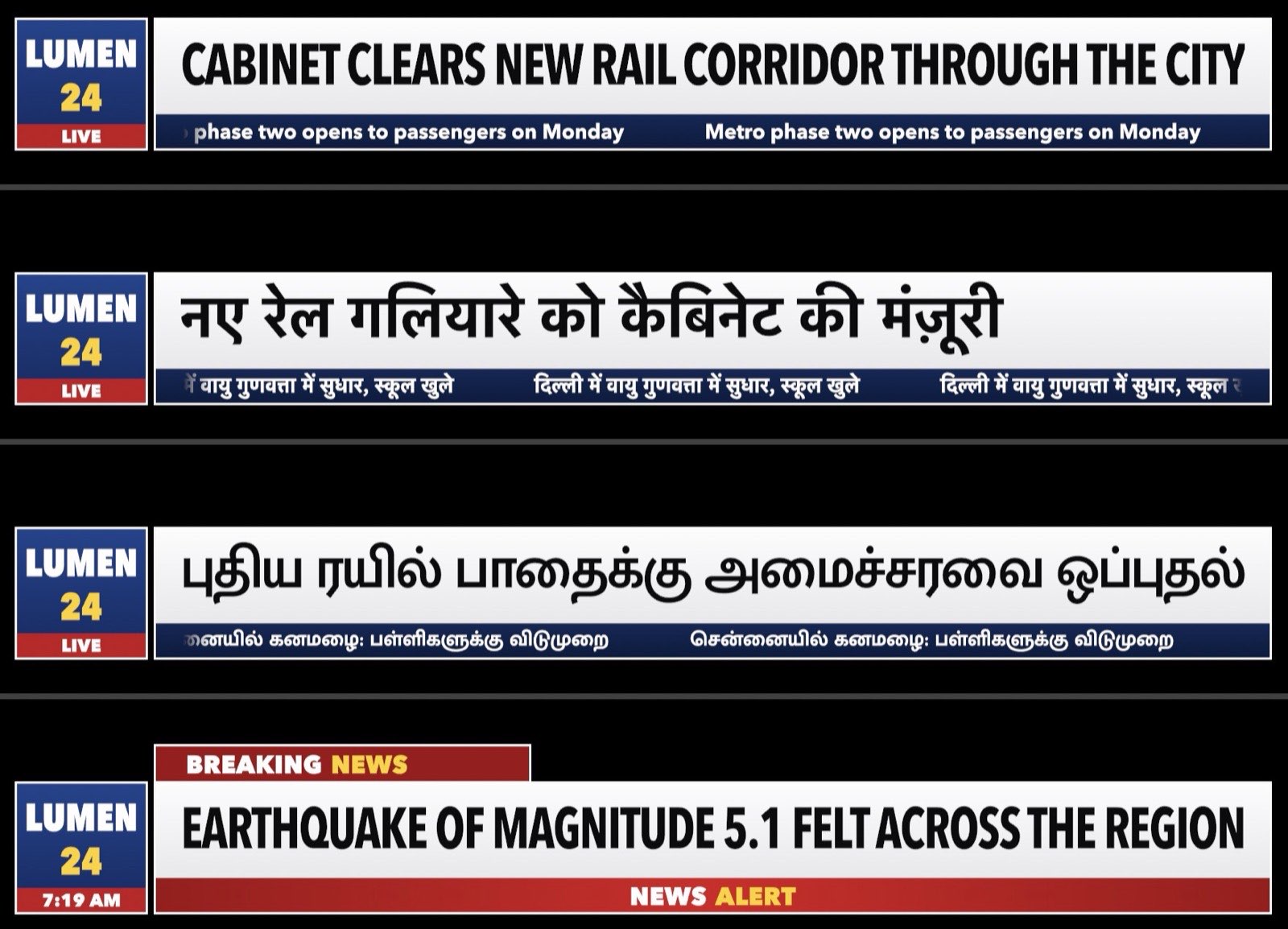
Headlines in English, Hindi and Tamil, a crawl in all three beneath them, and breaking news taken to air, at 1080p50. Sound is off until you turn it on.
3D
2D
CHANNEL 1 is a sample brand; the news, market figures and weather in the clips are made up, and the clock times are fixed in the render.
The idea
A broadcast ticker used to mean a rack of hardware and a room of software. Neo Ticker is a single install for an Apple silicon Mac. It draws the ticker in real time and goes on air the way your channel works: choose at install, change later with one command.
The figures are from our own tests on an Apple M5 MacBook Pro with 16 GB in November 2026.
Your chain
Neo Ticker fits the channel you have. Choose when you install it; change it later with one command.
NDI®
Fill and key at 1080i50 or 1080p50, keyed in any switcher or playout that takes NDI®. Nothing is cabled to the ticker Mac.
SDI
Fill and key on two SDI outputs from a Blackmagic UltraStudio or DeckLink device, with sound embedded, into the downstream keyer you already own.
Inline
Your programme comes in on SDI, the ticker is keyed on, and it goes out on SDI to the encoder or uplink, after any playout of any make. Programme sound, captions and timecode pass straight through.
Templates
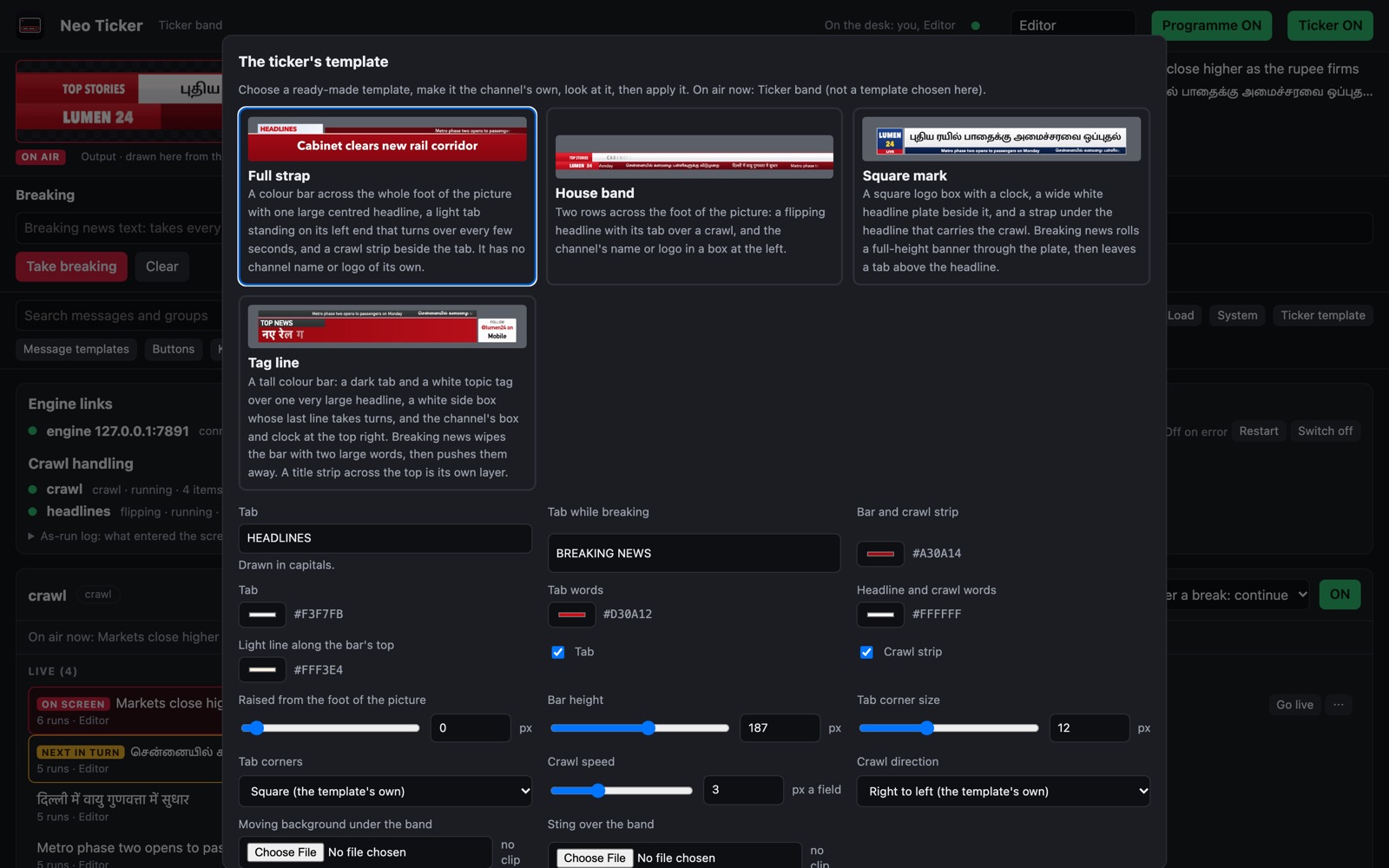
Four templates, each with a 3D twin. Start from one, then make it your own, without a designer. Every change made on the template screen goes to air from the desk while the ticker keeps running.




Your brand
Your channel’s name or logo, your colours, and your own fonts for every language.
Your layout
Which parts show, the band’s height and place, its corners.
Your artwork
Your own artwork, from PNG or layered Photoshop files, under our live text.
Your motion
Choose how each part comes on, changes and leaves.
Your stings
A sting slot and a moving background, for any clip with transparency.
Your After Effects
Motion your designers made in After Effects, exported as Lottie, with live text on it.
3D
Every ready-made template has a 3D twin that keeps your branding. Choose Flat or 3D on the template screen; the change glides, even on air, and the camera swings gently into place.

Real depth
Solid bands with bevels and thickness, seen through a camera, not painted to look that way.
Real light
Key and fill lights, soft shadows, reflections, and a glint that sweeps the band when a story goes to air.
Frosted glass
Glass panels that blur what is behind them, with the words on top kept sharp.
3D letters
Headlines that build letter by letter in depth, with every Hindi and Tamil syllable moving as one solid piece.
Text that stays readable
The words stay sharp and face the viewer; the crawl never tilts away.
Live, at broadcast rate
Drawn in real time on the Mac’s own graphics, with no render farm and no waiting.
Motion
Every move rises from stillness, travels with grace, and lands exactly where it means to, easing in and out on a curve. Nothing jumps or stops dead; we check it field by field.
Each move has a speed you set and an ease you can see on its curve. Straight-line movement is only ever a deliberate choice. The crawl runs at a perfectly steady speed and eases when it starts, stops and pauses for a break.
Language
Hindi, Tamil, Telugu, Kannada, Malayalam, Bengali, Gujarati, Punjabi, Odia and Marathi. English, French, Spanish, German and Russian. Arabic, and Urdu in Nastaliq, shaped right to left. Chinese, Japanese, Korean and Thai. Every letter is shaped as its language shapes it. A long headline is set smaller to fit, never squashed, and never touches the edge.
Spelling is checked as editors type in English, Hindi, Tamil, Telugu, Kannada, Malayalam, Urdu, Arabic, Korean, French, Spanish, German and Russian. Inside the ready-made bands, Urdu reads small and a headline starts at the left edge.

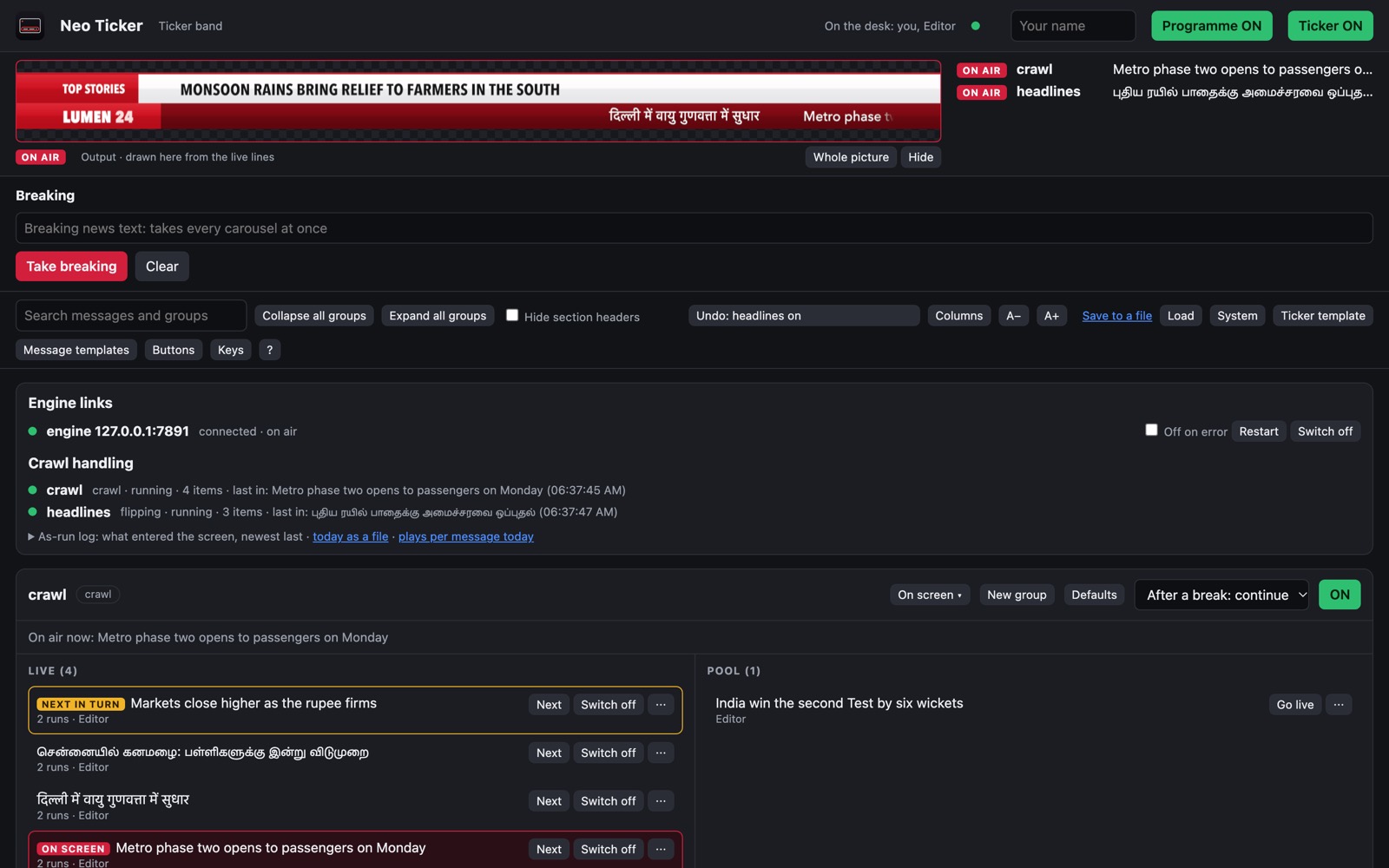
The desk
Live on the left. The pool on the right. What is on air, marked. Breaking news, always at the top.
What to ask of any ticker
The best broadcast tickers are measured on the same short list. Ask it of anyone. Here is ours.
Yes. Items can be text, pictures, video clips with sound, or 3D objects, in flat or 3D templates, filled by hand or from feeds in JSON, CSV, XML or RSS.
Yes. A crawl, rotating headlines and a clock run together, each at its own speed, in any direction.
Yes. Any item can run actions as it comes on screen and as it leaves: a sponsor sting, a logo change, another carousel.
Yes. Both take feeds. A feed keeps its list current as the source changes, and your editors stay in charge of what airs.
Yes. The desk is a web page. Editors sign in from any computer on your network, or from outside it through your channel’s VPN or a secure (HTTPS) web connection, and several can work at once. Each sees who else is editing, and no one’s changes are overwritten.
Yes. One carousel can go to several channels, each with its own on-air switch and its own breaks, over NDI®, SDI or both.
New in this release
Eight additions, from the sponsor’s logo to the last pixel of a headline, and an installer that sets up like any Mac app.
Sponsors
Logos and short video clips take turns in the sponsor box. Every showing is written to the as-run log, ready for billing.
Install
One signed and notarised installer package (.pkg). Open it, follow the steps, and the ticker is ready.
Headlines
From any direction; by letter, word or line; as a slide, drop, flip or door. Every move eased, and previewed before it airs.
Logo
Your logo turns in its box in depth, with the same eased motion as the rest of the band.
Picture
A flicker filter for 1080i, colours kept broadcast-safe, sharper text, and a warning when words and plate are too close in contrast.
Writing
Editors see how many characters a headline has left as they type, and headlines keep one steady size on air.
Feeds
News feeds flow into the crawl, and an editor approves each item before it airs.
Routing
Choose at install whether the ticker’s NDI® goes to NeoMix or to Meridian.
The details
The figures are from our own tests on an Apple M5 MacBook Pro with 16 GB in November 2026. SDI and inline are built and tested against a stand-in device; testing on a Blackmagic device is next. Urdu is held whole inside the ready-made bands, so it reads small, and a headline starts at the left edge; a larger Urdu needs a taller band. After Effects import is tested on our own Lottie files. The 3D templates were measured on an Apple M5 with 16 GB, with no late fields. Channel names shown in the pictures are samples. Fonts a channel imports are used under that channel’s own licence. Bypass needs a Blackmagic device with a bypass relay, or an external SDI changeover switch. NDI® is a registered trademark of Vizrt NDI AB. Blackmagic, UltraStudio and DeckLink are trademarks of Blackmagic Design. After Effects is a trademark of Adobe. Mac and Apple silicon are trademarks of Apple Inc.
Tell us about your channel and we will show you Neo Ticker in your brand, in your languages.
[email protected]